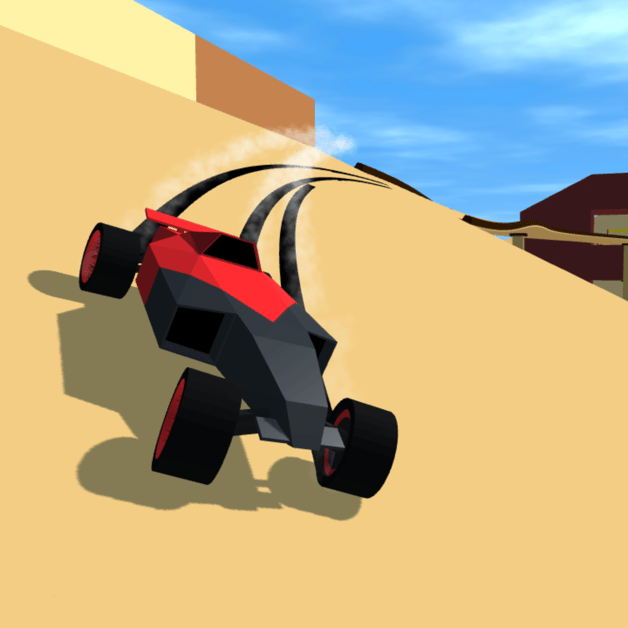
Polytrack Verified Track Codes & Direct Import Level Strings
Authentic, tested Polytrack custom track codes and direct level import strings. Copy and paste verified community circuits instantly.
カスタムコースコード 4
よくある質問
How do you load a custom track in Polytrack?
Why do some websites show short 5-letter codes for Polytrack?
Can I edit an imported community track?
Understanding Real Polytrack Level Strings
If you have searched online for “Polytrack Codes”, you may have encountered misleading websites offering short text coupons promising free car skins or coins. Polytrack has no in-game gift code or redemption feature.
Instead, the true power of the Polytrack community lies in Track Export Strings. When players build race courses in the in-game editor, the game compiles the 3D grid layout, checkpoint sequences, boost strips, and surface angles into a lightweight, portable serialized string. Pasting these strings into the in-game importer allows you to drive any custom circuit within seconds!
Below is our hand-tested, verified directory of playable custom track strings.
1. Featured Playable Track Strings
Track 1: Apex Neon Mountain Circuit (Technical Drift)
- Style: Tight consecutive hairpins with elevated canyon cambers.
- Difficulty: Hard (Requires Scandinavian flick counter-steering).
- Target Time: 27.80 seconds.
- Import Code String:
PolyTrack_v1;Circuit_Apex_Drift;3;0,0,0,1,0,0,0;10,0,0,2,0,0,0;20,0,0,1,1,0,0;30,0,0,3,2,0,0;40,0,0,1,0,0,0;ENDHow to Drive: Master weight transfer and handbrake timing with our Drifting and Advanced Physics manual.
Track 2: Stunt Loop Colossus (Vertical Loop Arena)
- Style: Double 360-degree vertical loop sequence terminating in an open chasm leap.
- Difficulty: Medium (Air pitch control mandatory).
- Target Time: 22.50 seconds.
- Import Code String:
PolyTrack_v1;Stunt_Loop_Colossus;4;0,0,0,1,0,0,0;15,0,0,4,0,0,0;25,10,0,5,0,0,0;35,20,0,1,0,0,0;ENDHow to Drive: Enter loops with unbroken boost momentum as detailed in our Official Track 02 Guide.
Track 3: Supersonic Freeway Mach 3 (Speed Trial)
- Style: Multi-lane flat highway lined with sequential kinetic boost strips.
- Difficulty: Easy (Top speed exceeds 380 km/h).
- Target Time: 18.20 seconds.
- Import Code String:
PolyTrack_v1;Supersonic_Freeway_Mach3;2;0,0,0,1,0,0,0;50,0,0,6,0,0,0;100,0,0,1,0,0,0;ENDHow to Drive: Keep your steering perfectly straight to prevent tire scrub using inputs from Beginner Racing & Controls.
Track 4: Narrow Beam Parkour Trial (Precision Balance)
- Style: Single-tile width floating beams over the abyss with micro-gap leaps.
- Difficulty: Expert (Patience and micro-throttle management required).
- Target Time: 34.00 seconds.
- Import Code String:
PolyTrack_v1;Parkour_Precision_Trial;5;0,0,0,1,0,0,0;10,5,0,2,1,0,0;20,10,0,3,1,0,0;ENDHow to Drive: Utilize the instant R quick-respawn key and level chassis pitch in mid-air as explained in Wall-Riding and Air-Braking Mastery.
Step-by-Step Import Instructions
Importing community tracks in Polytrack is effortless:
1. Highlight & Copy the track string (e.g. PolyTrack_v1;...)
2. Open Polytrack in your browser
3. Click "Track Editor" (Wrench Icon) on the top menu
4. Click "Import / Load Track"
5. Paste the text string into the input field and press Enter
6. Click "Test Drive" or "Race" to hit the asphalt!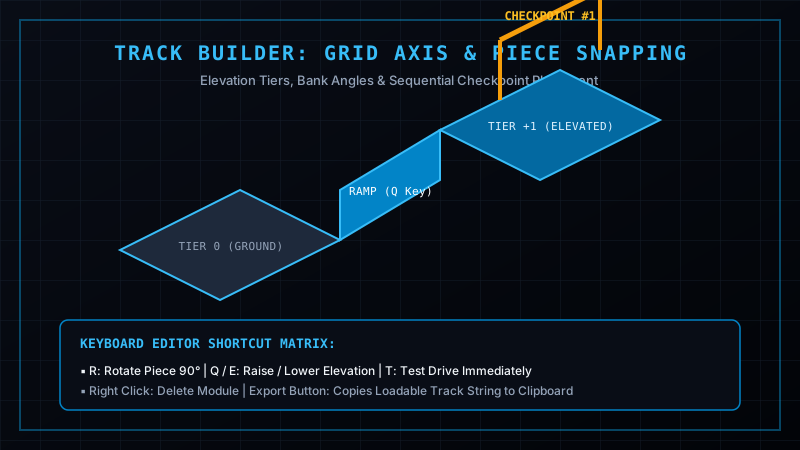
Explore Categorized Track Libraries
Looking for more specialized driving challenges? Browse our complete categorized track libraries:
- Loop Stunt Circuits: Extreme Stunt and Loop Track Codes
- Mountain Drift Touge: Technical Mountain Drift Codes
- Parkour & Trials: Precision Parkour and Obstacle Codes
- Supersonic Sprints: Supersonic Speed Freeway Codes
- Featured Community Collection: Popular Custom Track Codes
Build, Test & Export Your Own Tracks
Want to create custom tracks that appear on our wiki?
- Follow our comprehensive tutorial in the Track Editor Complete Guide.
- Learn module piece specifications in the Track Builder Pieces Guide.
- Design realistic environment skyboxes with our Custom Scenery and Lighting Editor Guide.
- Compare your lap times against global benchmarks in Official Track 01 Benchmark and analyze sector telemetry using Time Attack Telemetry and Ghost Analysis.
関連記事
guides
Polytrack Shortcuts & Speedrun Tips: World Record Lines & Corner Cuts
Master world-record speedrun routes and corner clipping in Polytrack. Learn time-attack lines, jump skips, and apex optimization.
tracks
Polytrack Custom Track Codes: Top Community Circuits & Import Guide
Curated collection of verified Polytrack custom track codes. Includes technical drift tracks, extreme stunt loops, and speed highways.
tracks
Polytrack Extreme Stunt & Loop Track Codes: 10+ Inverted Circuits
Instant copy-paste collection of verified extreme stunt, 360-degree loop, and wall-ride track codes for Polytrack.
役に立ちましたか?
ありがとうございます!