All Driving & Editor Guides
Polytrack Scenery & Lighting Editor Guide: Crafting Beautiful Tracks
Master aesthetic track design in the Polytrack Track Editor. Low-poly terrain sculpting, sunlight direction, color palettes, and prop placement.
FAQ
How do you change the time of day and sunlight in the Polytrack editor?
Open the Environment panel on the top toolbar to adjust Sun Pitch, Sun Yaw, Ambient Light brightness, and Skybox gradient colors.
Do visual scenery props affect track performance or loading times?
Scenery props in Polytrack use lightweight low-poly meshes that run smoothly at 60+ FPS even on low-end laptops and mobile browsers.
Visual Design & Environmental Aesthetics
A great track isn’t just fun to drive—it looks professional, immersive, and visually intuitive for racers.
Terrain Block Sculpting ➔ Skybox Lighting Setup ➔ Signage & Barrier Placing ➔ Sightline Testing1. Low-Poly Terrain Sculpting
- Surrounding Mountains: Place geometric mountain blocks around the track perimeter to eliminate floating void disorientation.
- Water & Canyon Chasms: Cut negative elevation blocks under large jump sections to create dramatic canyon leap sensations as seen in Official Track 03 Guide.
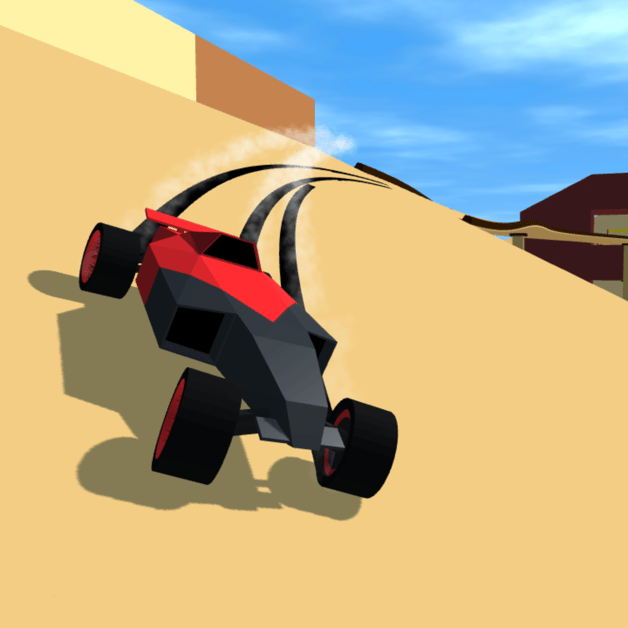
- Thematic Cohesion: Stick to a unified color palette (e.g. Desert Sandstone, Alpine Glacier, or Neon Synthwave).
2. Lighting, Shadows & Driving Readability
- Sun Angle: Position the sun at a 45-degree angle behind the starting grid so long track shadows don’t obscure turn apexes.
- Tunnel Lighting: Place luminous light poles inside interior loops and tunnels to help drivers anticipate track turns.
- Review road piece dimensions in the Track Builder Pieces Guide.
3. Track Signage and Driver Guidance
- Place illuminated chevron arrow signs 20 meters before blind crests and 90-degree hairpins.
- Install safety guardrails only along high-speed danger zones to keep courses feeling open yet fair.
- Follow editor piece snapping best practices from the Track Editor Complete Guide.
4. Publishing Aesthetic Showcase Tracks
- Test drive your creations using controls from Beginner Racing & Controls.
- Share your track codes with the community in our Popular Custom Track Codes collection!
- Read driving optimization tips in Shortcuts and Speedrun Tips.
Related Articles
guides
Polytrack Track Editor Guide: Building Loops, Jumps & Exporting Codes
Complete guide to the Polytrack in-game Track Editor: placing road modules, banked turns, loops, checkpoint grids, and exporting codes.
items
Polytrack Track Builder Items: Modules, Loops & Checkpoints
Comprehensive catalog of modular road pieces, loop-de-loops, boost pads, and jump ramps in the Polytrack Track Editor.
guides
Polytrack Beginner Racing Guide: Controls, Respawning & Ghost Cars
Master essential racing controls, checkpoint respawning, camera angles, and ghost car replays in Polytrack.
Was this helpful?
Thanks for the feedback!